Apple Search Ads Can Drive Your App's Growth Faster Than Almost Any Other Channel
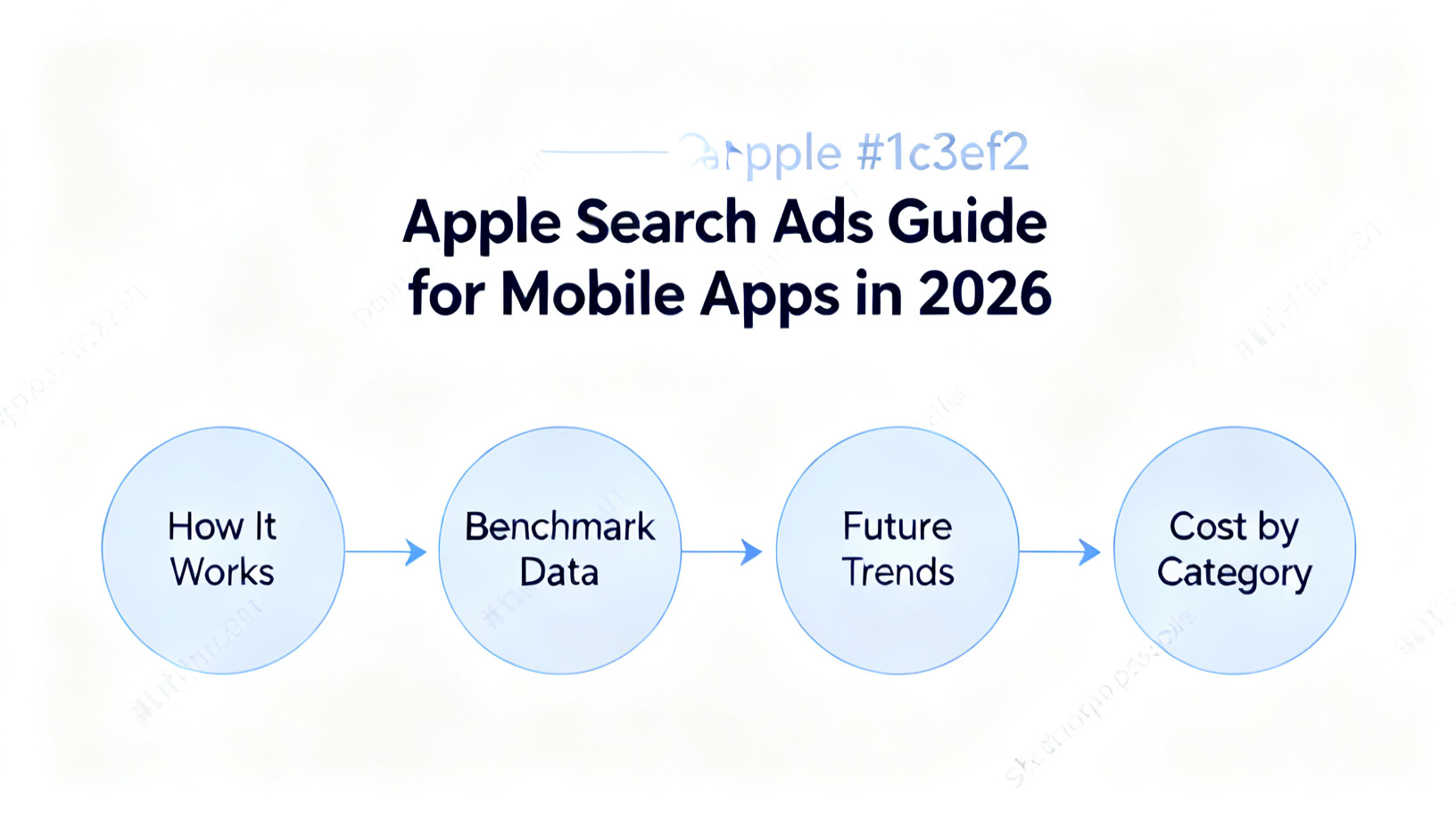
Apps promoted through Apple Search Ads convert at a dramatically higher rate than most paid channels. Apple Search Ads achieves an average conversion rate of 60-65% on the App Store, compared to roughly 26% for organic search results (Apple Developer documentation, 2024). That gap exists because you are reaching users at the exact moment they decide to download something. Most mobile app companies, however, set up a campaign, pick a handful of keywords, and walk away, leaving serious growth on the table. This guide covers everything you need: how Apple Search Ads actually works, how to build campaigns that compound over time, the data behind top-performing accounts, the mistakes that quietly drain budgets, and what the platform is evolving toward in 2026 and 2027.
Key Takeaways
- Apple Search Ads delivers an average conversion rate of 60-65%, far above most paid app channels (Apple Developer documentation, 2024).
- Search Ads Basic and Advanced serve fundamentally different goals; choosing the wrong product costs you control and scale.
- App Store Optimization and Apple Search Ads share metadata, meaning your ASO quality directly impacts your CPT (cost-per-tap) efficiency.
- Search tab and Today tab placements now extend reach beyond the classic search results placement, opening new upper-funnel opportunities.
What Is Apple Search Ads and How Does It Actually Work?
Apple Search Ads is Apple's native paid acquisition platform that places your app at the top of App Store search results when users search for relevant keywords. It operates on a second-price auction model, meaning you pay one cent above the next highest bidder, not your full maximum bid. That auction mechanic rewards relevance and creative quality, not just budget size.
There are two products. Apple Search Ads Basic is automated and capped at $10,000 per month per app. You provide a target cost-per-install and Apple's algorithm handles keyword selection, bids, and creative. It is designed for solo developers or teams without dedicated paid user acquisition resources. Apple Search Ads Advanced gives you full control over keyword match types, bidding strategy, audience segmentation, creative sets, and placement selection. For any mobile app company serious about scaling, Advanced is the right product.
Placements now extend across four surfaces. Search Results places your ad above organic results when someone searches a relevant term. The Search Tab places a discovery ad before a user types anything. Today Tab delivers a visual app card on the App Store home screen. Product Pages placements appear when users browse competitor or related apps. Each placement targets a different stage of user intent, from active search to passive discovery.
The algorithm scores ads using a combination of your maximum cost-per-tap bid, your ad relevance, and historical performance signals like tap-through rate and conversion rate. This is why App Store Optimization directly affects your paid campaign costs. A compelling app icon, strong screenshots, and keyword-rich metadata improve your relevance score, which lowers your winning bid in the auction. Teams that treat ASO and Apple Search Ads as separate workstreams typically pay 20-30% more per install than teams that align both strategies.
Attribution works through Apple's SKAdNetwork framework post-iOS 14.5. Apple Search Ads does provide a first-party attribution API, which means campaigns have a significant data advantage over other channels that rely on third-party measurement providers operating under ATT consent rate constraints. Apple's first-party attribution requires zero user consent, giving you cleaner, more reliable install data for optimization decisions (Apple Developer documentation, 2024). That data quality edge makes Apple Search Ads easier to measure and optimize relative to channels like Meta or Google App Campaigns where consent rates heavily distort your signal.
How Do You Build an Apple Search Ads Campaign Structure That Actually Scales?
Building a scalable Apple Search Ads account requires a deliberate campaign architecture, not a single catch-all campaign. The most effective structure mirrors the keyword intent hierarchy your users move through on their way to downloading your app.
Step 1: Separate branded, competitor, and generic keyword campaigns. Branded keywords (your app name and variations) typically convert the highest and cost the least. Run these in their own campaign with aggressive bids. Competitor keywords (rival app names) convert at a moderate rate and serve a conquest purpose. Generic or category keywords (like "meditation app" or "budget tracker") have the widest reach but the lowest conversion rate and require tighter bid management. Mixing all three in one campaign prevents you from allocating budget intelligently.
Step 2: Use exact, broad, and Search Match strategically. Exact match gives you the tightest control and the clearest performance data. Start with your highest-confidence keywords on exact match. Broad match extends reach to semantic variations and is useful for discovery. Search Match, Apple's automated matching option, acts as a catch-all for queries you have not yet explicitly targeted. Keep Search Match in its own separate ad group so its performance data does not pollute your curated keyword groups.
Step 3: Build separate campaigns by audience cohort. Apple Search Ads Advanced lets you segment by new users, returning users, users of your other apps, and competitor app users. First-time user acquisition campaigns should not compete for budget with re-engagement campaigns. These cohorts convert differently and deserve different CPT targets.
Step 4: Create custom product pages that match keyword intent. Apple allows up to 35 custom product pages per app. You can route traffic from specific keywords or ad groups to a tailored product page with screenshots and copy aligned to that search intent. A user searching "team project management" should land on a page emphasizing collaboration features, not your general marketing page. Teams that deploy custom product pages see measurable conversion rate improvements.
Step 5: Review search term reports weekly. The search terms report shows you the actual queries triggering your broad and Search Match keywords. Add high-performing terms as exact match keywords. Add irrelevant queries as negative keywords. This iterative cleanup process is the core growth loop of a well-managed account. For a deeper look at how this fits into a full growth strategy, explore our resources on app marketing to see how paid search works alongside ASO, lifecycle messaging, and creative testing.
Apple Search Ads Benchmark Data Every Mobile App Company Should Know
Understanding where your account stands relative to industry benchmarks is essential for setting realistic KPIs and identifying underperformance. The data reveals wide variance by vertical, which means generic benchmarks only go so far without category-level context.
Conversion rates by vertical vary enormously. Gaming apps average around 55-60% conversion rates on Search Results placements, while finance and productivity apps can reach 65-70% because those users arrive with high purchase intent (Adjust blog, 2024). Health and fitness apps sit in the mid-50s. Knowing your category benchmark tells you whether a 58% conversion rate represents a problem or strong performance.
Key benchmarks that leading mobile app companies track include:
- Cost-per-tap (CPT): The average CPT across all categories on Apple Search Ads is approximately $0.86, but top verticals like finance and productivity can see CPTs above $2.50 (Adjust blog, 2024).
- Cost-per-install (CPI): Gaming averages near $1.50-2.00 per install; shopping and finance apps frequently exceed $4.00-6.00 due to both higher CPTs and lower post-tap conversion.
- Tap-through rate (TTR): Search Results placements average a TTR of around 5-7%. If your TTR is below 3%, your creative assets, particularly your icon and first screenshot, are not compelling at search result scale.
- Return on ad spend (ROAS) timeline: Most subscription apps require 90-180 days to measure true ROAS because trial-to-paid conversion windows are long. Optimizing purely on day-one installs leads to poor cohort quality decisions.
- Search tab TTR: Search tab placements have lower TTRs than Search Results (typically 1-3%), but they reach users earlier in the discovery funnel and supplement rather than replace high-intent search placement budgets.
One of the most important but underappreciated metrics is redownload rate by keyword group. Apple Search Ads surfaces whether an install is a new download or a redownload. If a significant share of installs from your generic keywords are redownloads, you are paying to win back users who already knew your app. That signals a retention problem worth addressing before scaling spend. Aligning your paid strategy with downstream engagement data is what separates performant accounts from accounts that simply spend efficiently on the wrong outcome.
What Are the Most Costly Apple Search Ads Mistakes Mobile App Companies Make?
Even experienced teams make structural and strategic errors that compound over months into wasted budget and misleading data. Understanding these failure modes is just as valuable as knowing best practices.
Mistake 1: Running only one campaign with all match types mixed together. This is the single most common structural error. When exact, broad, and Search Match keywords share an ad group, the algorithm blends their performance data. Your best exact match keywords end up subsidizing broad match waste. You lose the ability to bid differently by intent level. The fix is architectural: one campaign per intent tier, one ad group per match type or audience segment.
Mistake 2: Optimizing bids on insufficient data. A keyword with seven taps in 14 days does not have enough statistical volume to make a bid decision. Many teams cut or reduce bids on keywords that simply have not accumulated enough impressions to show their true conversion rate. The general rule: wait for at least 30-50 taps per keyword before making significant bid changes. Premature optimization leads to a perpetually underscaled account.
Mistake 3: Ignoring creative set testing. Apple Search Ads Advanced allows you to upload custom creative sets, combinations of screenshots and app preview videos, at the ad group level. Many teams never test creative variations and rely entirely on their default App Store product page assets. Creative testing can shift TTR meaningfully, and TTR improvement directly reduces your effective CPT because Apple rewards higher-performing ads with better auction positioning.
Mistake 4: Using broad match without a negative keyword strategy. Without a running list of negative keywords, your broad match and Search Match groups will accumulate irrelevant queries that waste budget. For example, a fitness app bidding broadly on "workout" might serve ads for "workout clothes" or "workout memes." Reviewing search terms weekly and adding negatives at both the campaign and account level is non-negotiable for budget hygiene.
Mistake 5: Misattributing Apple Search Ads success without controlling for organic lift. Apple Search Ads installs include a share that would have occurred organically. Teams that scale spending rapidly sometimes interpret install volume growth as paid performance when some of that growth is organic cannibalization. Incrementality testing, running geographic or audience holdout groups, provides a cleaner picture of true paid lift. This kind of rigorous measurement thinking is exactly what our team applies when developing app marketing strategies for clients scaling in competitive verticals.
Where Is Apple Search Ads Heading in 2026 and 2027?
Apple Search Ads is expanding its footprint across the Apple ecosystem, and the changes coming over the next two years will significantly alter how mobile app companies approach paid acquisition strategy.
The most significant shift is the expansion of ad placements beyond the App Store. Apple has tested and is expected to scale search advertising surfaces within Maps, Apple TV, and potentially Apple News. This extends the reach of Apple's first-party identifier network and creates new intent-rich touchpoints where app ads can appear contextually. For app companies in local services, entertainment, and media verticals, these placements open genuinely new inventory that carries Apple's consent-free attribution advantage.
Apple's investment in machine learning-driven audience intelligence is also accelerating. The platform is building toward smarter automated bidding that leverages in-app event data fed back through the StoreKit API. As Apple's SKAN framework matures with SKAN 4.0 and beyond, the signal quality available for algorithmic optimization improves, which means Basic campaign performance should improve without additional advertiser effort and Advanced campaigns will have richer signals for custom audience targeting.
Privacy-preserving measurement is becoming a competitive differentiator. With third-party attribution increasingly constrained across iOS, Apple Search Ads' first-party measurement stack becomes more valuable relative to alternatives. Mobile app companies that build deep expertise in Apple's native measurement tools now will have a structural advantage as the broader industry continues adjusting to post-ATT reality. Sensor Tower data indicates that Apple Search Ads share of overall iOS app installs from paid channels has grown year over year (Sensor Tower, 2024), a trend that shows no sign of reversing as Apple's own ad business scales.
What Does Apple Ads Cost by Category in 2026?
Cost per tap spans nearly 60x across categories, so the only benchmark worth using is your own vertical.
| Category | Cost per tap |
|---|---|
| Sports | $14.41 |
| Finance & Fintech | $3.00 - $6.06 |
| Medical & Health | $1.50 - $4.45 |
| E-commerce | $1.20 - $3.00 |
| Productivity | $0.80 - $2.50 |
| Hyper-casual games | $0.30 - $0.80 |
| Religion (cheapest measured) | $0.24 |
| Global median | $0.92 |
The top-15-category average is $2.25, rising to about $1.51 in Q4 as holiday advertisers compete for inventory. Sources: AppTweak, Adapty, Business of Apps.
What Order Should You Launch Campaigns In?
Brand exact first, then category exact, then discovery with negatives already in place. Launching broad on day one is the single most common reason teams conclude Apple Ads is expensive: the algorithm spends on tangential terms while you have no search-term history to exclude them. Competitor campaigns come last, once the first two are demonstrably profitable.
If you want this run alongside store optimisation rather than as a siloed channel, see our mobile user acquisition and ASO services.
Frequently Asked Questions
What is the difference between Apple Search Ads Basic and Advanced?
Apple Search Ads Basic is automated, capped at $10,000 per month per app, and requires minimal management since Apple controls keyword selection and bidding. Advanced gives you full control over keywords, match types, audience segments, bids, placements, and creative sets. Any mobile app company with a dedicated growth team and a scaling budget should use Advanced for the control and data granularity it provides.
How much does Apple Search Ads cost on average?
Average cost-per-tap across all categories is approximately $0.86, but this varies significantly by vertical. Finance and productivity apps often pay $2.50 or more per tap due to high competition and strong user intent (Adjust blog, 2024). Gaming apps typically see lower CPTs near $0.50-0.80. Your actual cost depends on competition, keyword selection, relevance score, and creative quality.
Does Apple Search Ads work without good App Store Optimization?
Apple Search Ads performance is directly tied to your App Store metadata quality. Apple's auction algorithm factors in ad relevance, which is informed by your app title, subtitle, keywords, screenshots, and ratings. Poor ASO leads to lower relevance scores, higher CPTs, and weaker conversion rates post-tap. Investing in ASO before scaling Apple Search Ads spend consistently improves campaign efficiency by reducing your effective cost-per-install.
How do I measure Apple Search Ads attribution accurately after iOS 14.5?
Apple Search Ads provides first-party attribution through its Attribution API, which does not require user consent under ATT and delivers deterministic install data for your campaigns. For deeper in-app event measurement, connect Apple Search Ads to a mobile measurement partner like Adjust or AppsFlyer, and ensure your StoreKit API integration passes in-app events back to Apple for algorithmic optimization. SKAN 4.0 provides 4 conversion value bits for richer post-install signals.
How can working with an app marketing agency improve Apple Search Ads performance?
An experienced agency brings campaign architecture expertise, benchmark data across multiple verticals, and continuous testing frameworks that most in-house teams build slowly. At ApsteQ, our app marketing team manages Apple Search Ads as part of an integrated growth strategy combining ASO, paid UA, and lifecycle optimization.
The Bottom Line on Apple Search Ads for Mobile App Companies
Apple Search Ads remains one of the highest-intent, most measurable paid acquisition channels available to iOS app companies. Getting it right means more than activating a campaign. It means building deliberate architecture, aligning ASO with paid strategy, using benchmark data to set realistic KPIs, and avoiding the structural mistakes that silently drain budget over time. Here is a summary of what this guide covered:
- Apple Search Ads Advanced is the right product for any scaling app company, giving you control over keywords, bids, placements, and creative.
- Campaign structure should separate branded, competitor, and generic intent into distinct campaigns with cohort-based audience segmentation.
- Industry benchmarks show wide vertical variance; track CPT, CPI, TTR, and ROAS timeline relative to your specific category.
- Common mistakes include mixing match types, cutting bids prematurely, ignoring creative testing, and skipping negative keyword management.
- Apple Search Ads is expanding to new surfaces and improving algorithmic optimization through SKAN 4.0, making early expertise a lasting advantage.
If you want a clear diagnosis of your current Apple Search Ads setup and a roadmap for improving performance in 2025 and beyond, our team is ready to help. Book a free strategy call with ApsteQ today and get actionable recommendations specific to your app, your vertical, and your growth targets.
Free download
7 Expensive Mistakes That Kill App Launches
The launch errors we see most often across 300+ app engagements, and what to do instead.
Get the Free Ebook Browse all free guides