An ASO checklist for 2027 is a repeatable audit of every element that decides whether your app is found in store search and whether a visitor installs it: metadata, creative assets, localization, ratings, technical quality, and testing. Work through it each quarter and you will catch most of the problems that hold back organic downloads.
Creative alone can swing results by orders of magnitude. In ApsteQ's LunarLinc campaign, 113 video ads drove 41,420 installs, while 83 image ads drove 468 (ApsteQ LunarLinc case study, 2023). That is roughly 367 installs per video ad against about 6 per image ad, by our own arithmetic. Store listings work the same way: small asset choices produce large gaps. Below is the full checklist, the platform limits to build around, the benchmarks worth tracking, and the mistakes that waste the most effort.
Key takeaways
- Apple gives you a 30-character name, a 30-character subtitle and a 100-character keyword field (Apple Developer documentation, 2026). Google Play gives you a 30-character title and 80-character short description (Google Play Console Help, 2026).
- Google flags apps whose user-perceived crash rate passes 1.09% or ANR rate passes 0.47% (Android Developers, 2026). Stability is an ASO item, not only an engineering one.
- In ApsteQ's LunarLinc campaign, video ads averaged about 367 installs each versus about 6 for image ads (ApsteQ, 2023). Test creative before you polish copy.
- EarningsCall saw 60% of downloads active monthly in its 2022 to 2023 campaign (ApsteQ, 2023). Install quality matters as much as install volume.

What belongs on an ASO checklist for 2027?
A complete ASO checklist covers six areas: metadata, visual assets, localization, ratings and reviews, technical health, and ongoing experiments. App Store Optimization (ASO) is the practice of improving an app's visibility in store search and its conversion from store page view to install. Each area on the list feeds one of those two goals.
Start with the hard limits, because every other decision sits inside them. The two stores differ in ways that change how you write.
| Field | Apple App Store | Google Play |
|---|---|---|
| App name / title | 30 characters | 30 characters |
| Second text hook | Subtitle, 30 characters | Short description, 80 characters |
| Hidden keyword field | Yes, 100 characters | No |
| Long description | 4,000 characters; not used for search ranking | 4,000 characters; indexed for search |
| Built-in testing | Product page optimization | Store listing experiments |
Sources: Apple Developer documentation, 2026; Google Play Console Help, 2026.
The practical split is simple. On Apple, your keyword field and subtitle do the ranking work, and the long description only persuades. On Google Play, the long description is read by the search system, so natural keyword placement in the first few lines matters. A checklist that treats both stores identically will underperform on one of them.
A worked example of the audit order
Imagine a budgeting app with a 30-character name, "Penny: Budget Planner", and the subtitle "Track bills and savings". The word "budget" is already indexed through the name, so repeating it in the keyword field wastes characters. The 100-character keyword field should carry different terms such as "expense", "spending", "money" and "tracker", separated by commas without spaces. That is the sort of line-by-line check the checklist forces. Most teams never run it because nobody owns the metadata after launch.
Visuals come next. Apple's documentation describes custom product pages as alternate versions of your store page, each with its own screenshots, previews and promotional text, that you can point different audiences to (Apple Developer documentation, 2026). They belong on the checklist for any app that runs paid campaigns, because one generic page rarely suits every audience.
How do you work through an ASO checklist step by step?
Work in this order: fix technical health first, then metadata, then creative, then localization, then start testing. Changing assets before the app is stable pushes more traffic to a page that loses it later. Here is the sequence we recommend to teams that hire us for app store optimization.
- Check stability. Open Android vitals and the Apple crash reports. If you are near Google's 1.09% crash or 0.47% ANR thresholds, fix that before touching the listing (Android Developers, 2026).
- Build a keyword list. Pull 50 to 100 candidate terms from your own search data, competitor listings and store autocomplete. Score each by relevance first, then by how crowded the results are. A high-volume term you cannot rank for is dead weight.
- Write the name and subtitle (or title and short description). Put your strongest relevant term in the name. Use the second field to describe what the app does in plain words. Do not stuff; both stores reject or ignore it, and users read it.
- Fill the keyword field (Apple). Use all 100 characters. Skip words already in your name and subtitle. Skip your competitors' brand names, since both stores restrict that.
- Rewrite the first lines of the description. On Google Play, lead with the main benefit and the primary keyword in natural language. On Apple, lead with the benefit alone.
- Rebuild screenshots around one idea each. The first two or three screenshots carry most of the weight, since many visitors never scroll. Put the benefit in a short headline and show the actual interface.
- Localize. Translate metadata and screenshots for each market you serve, and check keywords per locale instead of translating word for word.
- Ask for ratings at the right moment. Trigger the prompt after a user completes something rewarding, never on first launch.
- Launch one test at a time. Use Apple's product page optimization or Google's store listing experiments, and change a single variable per test (Apple Developer documentation, 2026).
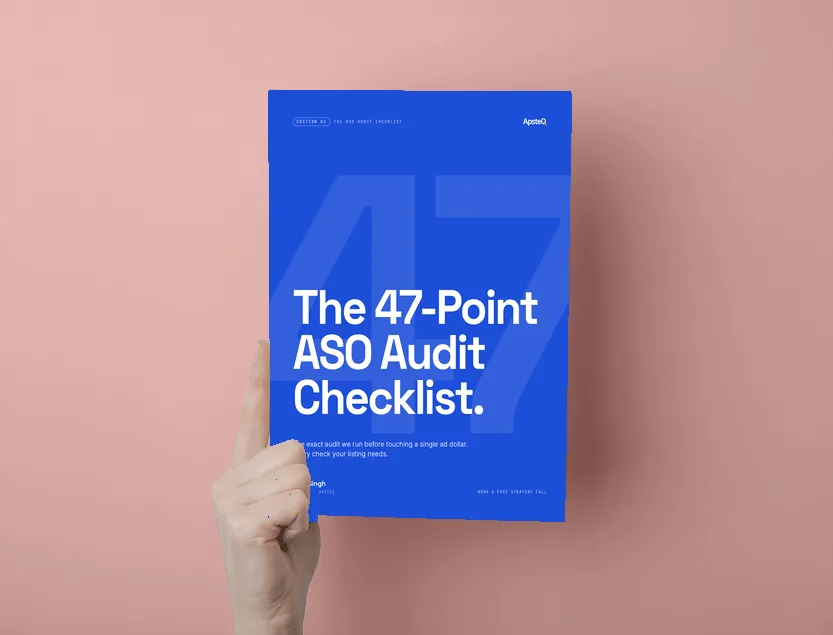
We packaged the full audit, with scoring sheets, into a free resource: the ASO checklist ebook. If you would rather hand the work to a team, our app marketing services run this sequence alongside paid acquisition so the two channels learn from each other.
Which benchmarks and data should drive your ASO priorities?
Prioritize by evidence you can verify: platform limits, documented quality thresholds, and your own conversion data. Industry "average conversion rate" numbers vary so
Free download
The 47-Point ASO Audit Checklist
The exact checklist we run before touching any app store listing. Find the gaps costing you organic installs.
Get the Free EbookBrowse all free guides