
Apple says on average, 90% of App Store submissions are reviewed in less than 24 hours (Apple Developer, 2026). So when an app launches late, the store is rarely the cause. The delay usually sits in scoping, design handoffs, QA loops, and a launch plan that started too late. This guide explains how long app development takes in 2027, which phases stretch, and how to build a schedule your team can actually hit.
The short answer: a focused MVP for a mobile app company typically takes about 4 to 7 months from kickoff to store release, and a feature-heavy product takes longer. Those are planning ranges, not survey data, and the sections below show where each week goes.
Key takeaways
- App Store review is fast: 90% of submissions are reviewed in under 24 hours (Apple Developer, 2026). Plan 1 to 2 weeks for the submission phase, but do not plan more.
- New personal Google Play developer accounts must run a closed test with at least 12 testers for 14 days before applying for production access (Google Play Console Help, 2026). That is a fixed two-week floor on your schedule.
- Platform rules move on a calendar. Apple requires newer Xcode and SDK versions for uploads from April 2026 (Apple Developer, 2026), and Google Play requires new apps and updates to target a recent Android API level (Android Developers, 2026).
- Launch is the start of the clock for growth. In ApsteQ's LunarLinc case study, 113 video ads drove 41,420 installs while 83 image ads drove 468.

How long does app development take in 2027?
An MVP for a typical mobile app company takes roughly 19 to 30 weeks from kickoff to store release when built on one cross-platform codebase, and complex products with payments, real-time features, or AI take longer. The spread comes from scope and decision speed, not coding speed.
An app development timeline is the sequenced plan of phases (discovery, design, build, QA, submission, and post-launch iteration) with dated dependencies between them. A good one shows what blocks what. A bad one is a single launch date with a Gantt chart pasted on top.
Here is a planning model we use to explain where time goes. For illustration: these are round planning ranges for a mid-complexity app (user accounts, a core feature set, a backend, push notifications, analytics), not survey results.
| Phase | Illustrative duration | What drives the range |
|---|---|---|
| Discovery and scoping | 2 to 3 weeks | How fast stakeholders agree on the MVP cut |
| UX and UI design | 3 to 5 weeks | Number of unique screens, design review rounds |
| Build (MVP sprints) | 10 to 16 weeks | Integrations, backend complexity, scope changes |
| QA and beta | 3 to 4 weeks | Device coverage, bug severity, test-account setup |
| Store submission and review | 1 to 2 weeks | Metadata readiness, rejections, privacy forms |
| Total | 19 to 30 weeks | Roughly 4.5 to 7 months |
The build phase is the widest band because it absorbs every upstream mistake. A vague spec in week two becomes a rewrite in week twelve.
Now a worked example. Imagine a startup with a 24-week plan: 3 weeks of discovery, 4 of design, 12 of build, 4 of QA, and 1 for submission. In week 9 the founder adds a social feed that was not in the original scope. That one feature adds roughly 3 weeks of build and 1 more of QA, so launch moves from week 24 to week 28 before anyone has noticed a problem. Scope creep rarely arrives as a big decision. It arrives as a small request that sounds free.
How do you build a realistic app development timeline for 2027?
Start from the launch constraints and work backward, then add buffer where uncertainty is highest. A realistic timeline fixes scope first, sets store-driven dates second, and treats design and QA as scheduled phases rather than leftovers.
Follow these steps:
- Cut the MVP to one core job. Write the one outcome a user must achieve in the first session. Anything that does not support it moves to a "version 1.1" list with a date.
- Lock the platform plan. Decide whether you ship iOS and Android together on a cross-platform codebase or stagger them. Staggering saves build time up front and costs you marketing momentum later.
- Back-schedule the store gates. If your Google Play account is a new personal one, the closed-test requirement means 12 testers opted in for 14 days (Google Play Console Help, 2026). Recruit those testers during the design phase, not the week before launch.
- Check SDK and API deadlines before kickoff. Apple's upcoming requirements page (Apple Developer, 2026) lists the Xcode and SDK versions needed for uploads. Google Play's target API level policy (Android Developers, 2026) does the same for Android. Build on the current toolchain from day one, because a late upgrade can eat a sprint.
- Run design one sprint ahead of build. Developers should never wait for a screen. They also should not build from screens the product owner has not approved.
- Reserve 15 to 20 percent as a buffer. Put it before QA, not at the end of the plan, so it gets spent on real surprises rather than on polish.
- Start store listing work at the halfway point. Screenshots, descriptions, and keyword research feed app store optimization, and they take longer than most teams expect.
If you want a partner to own this plan, our app development team scopes and sequences these phases with you, and our app development cost guide shows how scope choices change both budget and calendar. The two move together: every week of added scope is also a week of added spend.
One more point on buffers. Schedule risk is the gap between your planned launch date and the date you can defend with evidence. A date you cannot defend is a hope. Shrink the gap by shipping something testable every two weeks, so problems show up early and cheaply.
What the 2026 platform data says about your 2027 schedule
The hard numbers that bound an app schedule come from the platforms themselves, and they are small. Review is quick, testing windows are fixed, and the larger variable is your own team's readiness. Here is what the published figures say, followed by what they mean for planning.
| Gate | Published fact | Source |
|---|---|---|
| Apple App Review speed | 90% of submissions reviewed in under 24 hours | Apple Developer, 2026 |
| Google Play closed test (new personal accounts) | 12 testers, 14 days before production access | Google Play Console Help, 2026 |
| Apple build requirements | Newer Xcode and SDK required for uploads from April 2026 | Apple Developer, 2026 |
| Android target API policy | New apps and updates must target a recent API level | Android Developers, 2026 |
What this means for your schedule:
- Apple review is a one-to-two-day event, not a month. The 90% under 24 hours figure (Apple Developer, 2026) applies to submissions overall. A first submission with an unusual permission, a login-gated feature, or a missing demo account can still bounce. Budget one rejection cycle anyway.
- The Google Play test window is dead time you can use. Fourteen days with 12 testers (Google Play Console Help, 2026) is a free beta period. Treat it as your QA phase on real devices instead of a hurdle to clear.
- Toolchain deadlines are calendar-driven. If a build is rejected because it used an older SDK, you lose days of rework and a resubmission. The April 2026 upload requirement (Apple Developer, 2026) means any 2027 project should start on the current Xcode, with no legacy branch to migrate.
- Post-launch matters as much as pre-launch. ApsteQ's Enjoy Movies Your Way case study reached 38K+ monthly active users on 50K+ downloads by December 2023, a 76% monthly-active rate. The result came from keeping the product and acquisition work running after release, not from the launch date.
Insight: the platform numbers add up to about three weeks of fixed external time (roughly 14 days of testing plus 1 to 7 days of review and rework). Everything else on your timeline is yours to control. That reframes the question. Instead of asking how long the stores take, ask which of your own phases has no owner and no deadline.

What mistakes make app timelines slip?
Timelines slip mainly because of unfrozen scope, late store preparation, and marketing that starts after launch. Each of these is predictable, and each has a cheap fix if you catch it in the first month.
Mistake 1: Treating the spec as a conversation instead of a contract
Imagine a team that begins build with a 40-page document and no priority order. Three weeks in, a stakeholder asks for a referral program, then in-app chat. Neither request is unreasonable on its own. Together they push a 16-week build to 22. The fix is a written change process: any addition must name what it replaces or what date it moves.
Mistake 2: Leaving store prep for the last week
Screenshots, privacy declarations, age ratings, demo credentials for reviewers, and support URLs all take time. For illustration: a team finishes the build on a Friday and assumes it will be live Monday. The reviewer cannot log in because no test account exists, the build is rejected, and launch slips a week. Prepare the submission package during QA.
Mistake 3: Skipping the Google Play test window in the plan
Teams with a brand-new personal developer account sometimes learn about the closed-test rule only when they try to publish. The 12 testers for 14 days rule (Google Play Console Help, 2026) then costs two weeks they never scheduled. Recruit testers early, and check whether an organization account fits your company.
Free download
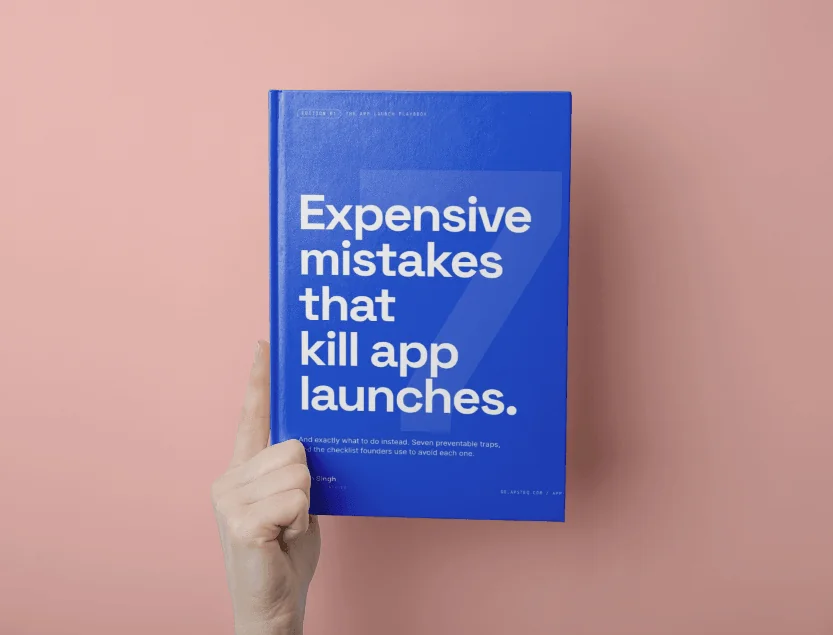
7 Expensive Mistakes That Kill App Launches
The launch errors we see most often across 300+ app engagements, and what to do instead.
Get the Free EbookBrowse all free guides
Free download
7 Expensive Mistakes That Kill App Launches
The launch errors we see most often across 300+ app engagements, and what to do instead.
Get the Free EbookBrowse all free guides