
App SEO is the work of making an app findable in three places at once: App Store and Google Play search, Google web search, and AI answers from tools like ChatGPT and Perplexity. You rank by tuning store metadata, publishing indexable web pages that match category queries, and linking those pages to the app with deep links.
Here is a detail most teams miss. On the App Store your app name gets 30 characters, your subtitle gets 30, and a hidden keyword field gets 100 (Apple Developer documentation, 2026). Google Play caps the title at 30 characters as well (Google Play Console Help, 2026). Every word in those fields competes for a search term, and most US apps spend them on brand slogans.
This guide is for app companies deciding how to plan app SEO for 2027, and whether to do it in-house or hire a team. It covers what app SEO includes, how to rank in store search, what the documented limits mean for your listing, how web pages and deep links fit in, and the mistakes that waste budget.
Key takeaways
- App Store metadata is tight: 30 characters for the name, 30 for the subtitle, 100 for the keyword field (Apple Developer documentation, 2026).
- Google Play gives you a 30-character title, an 80-character short description and a 4,000-character full description (Google Play Console Help, 2026).
- Web pages can carry app information to Google Search through SoftwareApplication structured data (Google Search Central, 2026), and verified links open them straight in your app.
- Install quality matters as much as volume: 60% of downloads were monthly active in EarningsCall's 2022 to 2023 campaign (ApsteQ case study).
What is app SEO, and how is it different from ASO?
App SEO is the wider discipline; App Store Optimization (ASO) is the store-search part of it. ASO tunes your listing so Apple and Google rank it for relevant searches. App SEO adds the open web and AI answers, where people meet your category before they ever open a store.
Three surfaces matter:
- Store search: App Store and Google Play queries, where metadata, ratings and creative decide the ranking and the tap.
- Web search: Google results for queries like "best budgeting app" or "how to track medication", answered by pages that can send readers to your app.
- AI answers: ChatGPT, Perplexity and Google AI Overviews, which pull from web pages and store listings that state clearly what an app does and who it is for.
App indexing is how a search engine learns that content inside your app, or a page about your app, exists and can be shown in results. For Google that now mostly means well-built web pages tied to your app through verified links. Apple has its own surface too: App Store search reads your name, subtitle and keyword field (Apple Developer documentation, 2026).
For illustration: imagine a US budgeting app with a clean App Store listing and no website beyond a landing page. A person asks ChatGPT for "apps that split bills with roommates." The model has nothing to quote about this app, so it names three competitors that publish comparison pages. The listing was fine. The app simply had no text anywhere on the web that matched the question.
How do you rank in App Store and Google Play search?
You rank by matching a high-intent search term to the right metadata field, then earning the tap with ratings and creative. Start with the fields that carry the most weight and fill them with terms real users type, not internal product language.
- Build a keyword list from user language. Pull terms from reviews, support tickets, competitor listings and store autocomplete. Group them by intent: problem words ("split bills"), category words ("budget app") and feature words ("receipt scan").
- Put the primary term in the name. You have 30 characters on both stores (Apple Developer documentation, 2026; Google Play Console Help, 2026). A short brand plus one descriptive phrase usually beats a brand alone.
- Use the subtitle and keyword field without repeating. On iOS, a word already in your name or subtitle gains nothing by sitting in the 100-character keyword field. Fill that field with terms you have not used yet.
- Write the Google Play description for reading and indexing. You get 80 characters of short description and 4,000 of full description (Google Play Console Help, 2026). Use your main phrases naturally and early; stuffing makes the page worse for the human who decides to install.
- Test creative against conversion. A rank gets you seen; screenshots and the first line get you installed. Apple's custom product pages let you show different pages to different audiences (Apple Developer documentation, 2026).
- Localize. A US-first app should still check Spanish-language search in the US market, where listing text may be thin.
This is the work our app store optimization service covers, and it connects to the paid side in our wider app marketing practice. Keywords you win in organic search tell you which terms are worth buying in ads, and the reverse holds too.
What do the metadata limits mean for your listing?
The limits mean you cannot say everything, so you must choose. A 30-character name forces one clear positioning decision, and the Apple keyword field forces you to drop vanity terms. The table below puts the documented limits side by side.
| Field | Apple App Store | Google Play |
|---|---|---|
| App name / title | 30 characters | 30 characters |
| Subtitle / short description | 30-character subtitle | 80-character short description |
| Hidden keyword field | 100 characters | None |
| Long description | 4,000 characters | 4,000 characters |
| Promotional text | 170 characters | Not applicable |
Sources: Apple Developer documentation, 2026; Google Play Console Help, 2026.
What follows from the table:
- iOS rewards compression. Three short fields plus a keyword field means every character needs a job. Plurals, filler words and commas that waste space add up quickly.
- Google Play rewards clear prose. With no hidden field, the visible text does all the work, so your short description must read well and include your core phrase.
- The two stores need different copy. Pasting the same text into both leaves iOS keyword space unused and makes the Google Play text read like a keyword list.
- Quality of installs matters beyond rank. In the 2022 to 2023 EarningsCall campaign, 60% of downloads were monthly active, with 3K+ MAU on 5K+ downloads (ApsteQ case study). Enjoy Movies Your Way reached 38K+ monthly active users on 50K+ downloads by December 2023, 76% of downloads active monthly (ApsteQ case study). Both are paid acquisition results, but the lesson carries over: a listing that sets accurate expectations pulls in people who stay.
How do web pages and deep links bring in app users?
Web pages bring app users when they answer a category question better than anyone else, then hand the reader to the app through a link that opens the right screen. Without that second step, you pay for search traffic and lose it at the store door.
The pieces, in the order to build them:
- Category and use-case pages. One page per real question ("how to split rent fairly"), with a short answer first and the app as one practical way to do it. These are the pages AI engines quote.
- Structured data. Google documents SoftwareApplication markup that describes name, price and ratings (Google Search Central, 2026). It helps machines read the page; it does not guarantee a rich result.
- Universal Links and App Links. Universal Links on iOS (Apple Developer documentation, 2026) and Android App Links (Android Developers, 2026) let a verified web URL open the app directly when it is installed and fall back to the web page when it is not.
- Smart App Banners. Apple's Smart App Banner shows an install or open prompt in Safari (Apple Developer documentation, 2026).
A deep link is worth setting up before you publish a single article. If a page about "best meal planning apps" sends a reader to your generic home screen, the intent is lost. If it opens the recipe-planning screen, or the store listing for first-time visitors, the page earns its keep.
How ApsteQ approaches this
ApsteQ treats app SEO as one system: store listings, web content and paid acquisition share the same keyword and audience data. We have worked on 300+ apps and brands since 2015. Our founder, Arsh Singh, has 20+ years in growth marketing, and a team of 40+ specialists covers ASO, paid media, creative and development.
Across that work we have driven 52M+ installs and managed $2.5M+ in ad spend. Two examples show how the pieces fit:
- LunarLinc, a friendship app launched on Android with India first, went from zero to 50K+ Google Play downloads since November 2023. Meta app campaigns delivered 41,420 installs, with 113 video ads producing 41,420 installs against 468 from 83 image ads (LunarLinc case study). Creative testing like this also shows which messages to carry into the store listing.
- Enjoy Movies Your Way, a US family streaming filters app, passed 100K+ Google Play downloads (Enjoy Movies Your Way case study).
If you want to see where your own listing and web presence stand, request a free app audit. It looks at store metadata, ranking terms and gaps in web coverage.
What app SEO mistakes waste installs?
The costliest mistakes are the ones that split your effort: optimizing one surface and ignoring the others, or driving traffic to a listing that cannot convert it. Each mistake below has a mechanism you can check in your own account today.
Treating the store listing as the whole strategy
For illustration: imagine a fitness app with a well-tuned listing and no web content. It ranks for a few branded and category terms in the store. The same person who might have found it through a "home workouts without equipment" search on Google finds a competitor's guide instead. The listing was fine; the app was invisible in two of the three places people search.
Repeating words across fields
On iOS, the name, subtitle and keyword field are read together. Repeating "budget" in all three wastes limited space. Spend the 100-character field on new terms (Apple Developer documentation, 2026).
Sending web traffic to a generic store link
For illustration: imagine a recipe app that earns 10,000 monthly visits to a "weekly meal plan" article. Every call to action points to the home page of the store listing. A verified deep link to the meal-plan screen, with a store fallback for new users, keeps the intent intact. Without it, the reader has to start over.
Chasing volume without checking who installs
A broad keyword can bring installs from people the app does not serve. They leave fast, ratings suffer and your retention numbers hide the real problem. EarningsCall's 60% monthly-active rate in the 2022 to 2023 campaign came from targeting investors specifically (ApsteQ case study). If you also run paid acquisition, our user acquisition service works from the same audience definition so organic and paid reinforce each other.
Ignoring ratings and review replies
Your rating sits right next to the title in search results. A low score cuts taps no matter how good the keywords are. Reply to reviews, fix the bugs people name, and ask for ratings at moments of success inside the app.
What will app SEO look like in 2027?
In 2027, app SEO will lean harder on clear, quotable text and clean technical links, because AI answer engines favor pages that state facts directly. Store ranking will still matter, but a growing share of discovery will start with a question typed into an assistant.
Three shifts to plan for:
- Answer-first web content. Pages that open with a direct answer, define terms and use tables are easier for engines to quote. Our own structure here follows that rule.
- Richer store surfaces. Apple keeps expanding what product pages can show, from custom product pages to in-app events, so listing creative is becoming a testing program rather than a one-time upload (Apple Developer documentation, 2026).
- Verified links as table stakes. Apps that open from a search result at the right screen will convert better than apps that land everyone on the home page. Set up App Links and Universal Links now (Android Developers and Apple Developer documentation, 2026).
I am leaving out any forecast of AI search share, since no public number I would trust to cite exists yet. Plan around the mechanism: engines reward specific, sourced, well-structured answers.
Frequently Asked Questions
What is app SEO?
App SEO is the practice of making an app discoverable in store search, Google web search and AI answers. It combines ASO (name, subtitle, keywords, creative) with web pages, structured data and deep links. On the App Store you work within a 30-character name and a 100-character keyword field (Apple Developer documentation, 2026).
Is app SEO the same as ASO?
No. ASO covers only the App Store and Google Play listing. App SEO includes ASO and adds web pages that rank for category queries, structured data and verified links into the app. Teams that do only ASO miss the Google and AI-answer traffic that starts before anyone opens a store.
How long does app SEO take to show results?
Store metadata changes can move rankings within days to a few weeks once Apple or Google reprocesses the listing. Web content usually takes longer, often two to six months to gain traction on competitive terms. Results depend on competition, and nobody can promise a specific ranking date.
Do I need a website to do app SEO?
Yes, for anything beyond store search. A site gives Google and AI engines text to read and quote, and it hosts the verified links that open your app. Google documents SoftwareApplication markup for describing an app on a web page (Google Search Central, 2026).
Can ApsteQ help with app SEO and ASO?
Yes. ApsteQ has worked on 300+ apps and brands since 2015 and drove 52M+ installs. Our ASO service covers store metadata, creative testing and keyword research, and we connect it to web content and paid acquisition so the work compounds rather than competes.
Conclusion
App SEO works when store search, web pages and AI answers are planned together. The documented limits (30 characters for names on both stores, 100 for the iOS keyword field) force clear choices, and verified links make sure the traffic you earn reaches the right screen.
- Audit your name, subtitle and keyword field for repeated words and wasted space.
- Publish answer-first web pages for the questions your users actually ask.
- Set up Universal Links and App Links so web visits open the right screen.
- Judge keywords by who installs and stays, not by volume alone.
- Use ASO and paid data together to decide which terms deserve more budget.
Want a team to run this for you? Book a free strategy call, or start with a free app audit to see where your listing and web presence stand today.
Free download
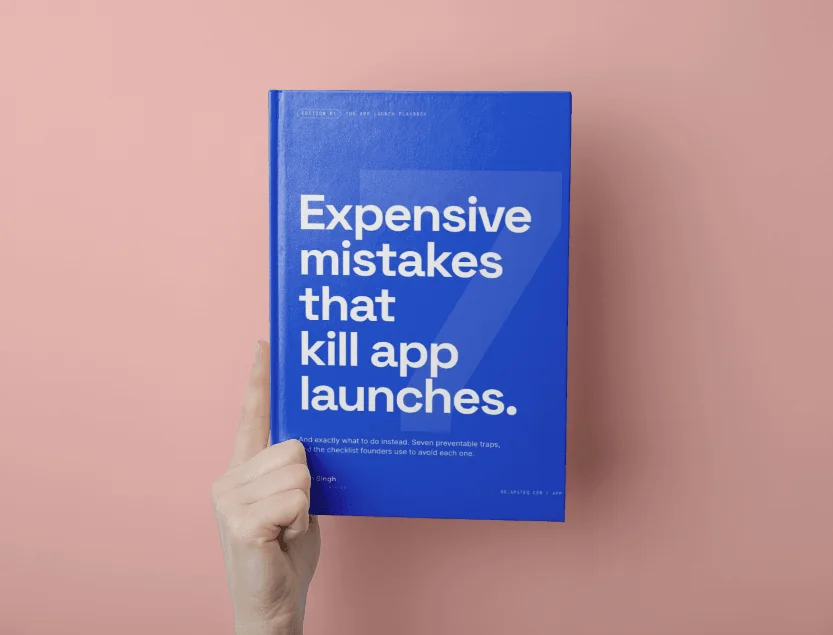
7 Expensive Mistakes That Kill App Launches
The launch errors we see most often across 300+ app engagements, and what to do instead.
Get the Free EbookBrowse all free guides