
Google App Campaigns in 2027: A Set-Up and Bidding Guide for US App Companies
To run Google app campaigns well in 2027, give the system strong creative, a conversion event that tracks real value, and a bid strategy matched to how much data your app already has. Google controls placement, audience and bids; you control inputs and goals.
Creative inputs matter more than most teams expect. In ApsteQ's LunarLinc case study, 113 video ads drove 41,420 installs on Meta, while 83 image ads drove 468 (ApsteQ LunarLinc case study, 2023). That was a different platform, but the mechanism carries over: automated buying systems reward whichever asset format they can learn from fastest. This guide covers what Google calls these campaigns today, how to set one up, and how to choose a bid strategy. It also covers the mistakes that drain budget. For tactical habits, read our earlier post on Google UAC best practices; we do not repeat those 11 practices here.
Key takeaways
- Google's current name for UAC is app campaigns, with separate goals for installs, in-app engagement and pre-registration (Google Ads Help, About app campaigns, 2026).
- Video can outweigh static images by a wide margin on automated platforms: 41,420 installs from 113 video ads against 468 from 83 image ads, roughly 367 versus 6 installs per ad (ApsteQ LunarLinc case study, 2023).
- Install volume is a weak finish line. In one US fintech campaign, 60% of downloads were monthly active (ApsteQ EarningsCall case study, 2023).
- Move from install bidding to in-app event or value bidding once your app logs enough events for the system to learn from.
What are Google app campaigns, and how do they work in 2027?
App campaigns are Google Ads campaigns that promote a mobile app across Google's inventory from one setup, with no manual placement picking. Google formerly called them Universal App Campaigns (UAC) and now labels them "app campaigns" inside Google Ads. Per Google's help documentation (Google Ads Help, 2026), ads can appear in Search, Google Play, YouTube and across partner sites and apps.
You do not build ads one by one. You supply text, images, video and a store link, then set a goal and a budget. Google assembles combinations and tests them against users it predicts will take your target action.
There are three campaign types. Pick the one that matches where your app sits in its life.
| Campaign type | Goal | Best used when | Main signal Google learns from |
|---|---|---|---|
| App campaign for installs | New users | Launch, new market, new creative set | Installs, then in-app events |
| App campaign for engagement | Re-activate existing users | Lapsed users, new feature or sale | In-app actions such as a purchase |
| App campaign for pre-registration | Sign-ups before release (Android) | Pre-launch on Google Play | Pre-registrations |
Why does this matter for a US app company? Because the system optimizes for exactly what you tell it to. Tell it "installs" and it finds cheap installers. Tell it "subscription started" and it hunts for the people who subscribe.
Worked example from our own case files: the 2022 to 2023 campaign for EarningsCall, a US app for investors, produced 60% monthly active users from its downloads (3K+ MAU on 5K+ downloads), and the app now has 100K+ downloads. Quality at that ratio is what you want any automated channel to chase. An install-only goal rarely gets you there on its own, since it counts a user who opens the app once the same as one who returns for months.
How do you set up a Google app campaign step by step?
Set up in this order: connect measurement, define the event you will pay for, load creative, then pick budget and bid. Skipping the first two steps is the most common reason a new campaign never leaves the learning phase. If you want a team to handle the full build, our app marketing service covers setup, creative and ongoing management.
- Link your measurement stack. Connect Firebase or a mobile measurement partner (MMP) to Google Ads. Confirm that test installs show up as conversions before you spend a dollar.
- Choose the conversion events. List the actions that happen in your first session and in the first week: registration, tutorial complete, trial start, first purchase. Mark the one closest to revenue that still fires often enough to learn from.
- Pick the campaign goal. Installs for a new app, engagement for lapsed users, pre-registration before a launch.
- Set location and language. For US apps, decide early whether you want national reach or a state-level test. Start narrow if budget is thin, because splitting spend across too many segments starves the learning.
- Load assets. Upload several video lengths and aspect ratios, a spread of images, and distinct headlines. Do not repeat the same message with minor wording changes; the system needs genuinely different ideas to compare.
- Set budget and bid. Match the bid type to your data volume (the next section shows how). Check that your daily budget supports several conversions per day at your target cost.
- Leave it alone. Give the campaign at least a week of delivery before making changes. Frequent edits restart learning.
The budget check. For illustration: if your target cost per install is $4 and your daily budget is $40, you can expect about 10 installs a day at best. If your goal event is a purchase that happens for 1 in 20 installers, that is one purchase every two days. The system cannot learn well from that. In that case, optimize for an earlier event (such as registration) until volume grows, then step up.
Apple's side matters too. On iOS, user-level tracking depends on opt-in under App Tracking Transparency (Apple Developer documentation, 2026), so expect less granular reporting there than on Android. Plan separate campaigns by platform so one cannot swallow the other's budget.
Bidding and conversion data: what the numbers say about optimization
Bid strategy should follow your data volume. A brand-new app with no event history should start on install-focused bidding, then move to in-app event bidding, then to value-based bidding once conversion values are reliable. The ApsteQ case files below show why the finish line matters.
Target CPA (tCPA) bidding tells Google the average cost you will pay for each chosen conversion, and the system adjusts bids per auction to hit it. Target ROAS (tROAS) bidding tells Google the return you want per dollar, using the revenue values you send back with each event. tROAS needs clean value data; tCPA does not.
| Stage | Typical data you have | Optimize for | Bid approach |
|---|---|---|---|
| Launch | Little or none | Installs or a first-session event | Target CPA on installs |
| Learning | Hundreds of installs, early events | Registration or trial start | Target CPA on an in-app event |
| Scaling | Steady purchase or subscription events | Purchase or subscription | Target CPA on a deeper event |
| Mature | Revenue values on events | Revenue return | Target ROAS |
What does outcome data from real campaigns tell us about how to read results?
- Active-user rate beats raw installs. Our Enjoy Movies Your Way case study reached 38K+ monthly active users on 50K+ downloads by December 2023, a 76% monthly active rate (ApsteQ case study, 2023). The app now has 100K+ Google Play downloads.
- The same pattern showed up in fintech. EarningsCall's 60% monthly active rate on 5K+ downloads (ApsteQ case study, 2023) came from an audience that wanted the product, not one that tapped an ad.
- Creative volume and format matter. LunarLinc's 113 video ads produced 41,420 installs; 83 image ads produced 468 (ApsteQ LunarLinc case study, 2023). By our arithmetic that is about 367 installs per video ad against about 6 per image ad. This was Meta, so test the same idea on Google rather than assume the ratio holds.
- Scale takes time. LunarLinc went from zero to 50K+ Google Play downloads since November 2023 (ApsteQ, 2026).
ApsteQ insight: treat your first 30 days as a data-gathering phase, not a profit phase. Spend to learn which event predicts paying users, then re-point the bid at that event. Teams that judge a campaign on install cost alone often cut the exact audiences who would have paid later.
One caution on reading those numbers. They are results from specific apps and say nothing about your category. Use them to set a direction (quality ratio over install count, video over static) and set your own benchmarks from your first two weeks of data.
What mistakes make Google app campaigns waste budget?
The costliest errors all come from feeding the system the wrong goal or too little to learn from. Each one is avoidable. If you are weighing whether to fix them in-house, our user acquisition service is built around exactly this kind of diagnosis.
Optimizing for installs forever
Install bidding is a fine start and a poor permanent setting. Imagine an app paying $3 per install with a 2% purchase rate: each paying user costs $150 in media. Switching to a purchase event might lift the cost per install to $6 while the purchase rate climbs to 8%, cutting cost per payer to $75. Those are round, hypothetical numbers, but the mechanism is real: a more expensive install can be the cheaper customer.
Choosing an event too rare to learn from
If a purchase happens once a week, a bid tied to it starves. Step back to an earlier event that fires daily. Move forward again as volume grows. A rule that helps: pick the deepest event that still occurs several times a day.
Uploading one video and five near-identical images
The system compares ideas, so give it different ones. Vary the hook in the first three seconds, the problem you show, and the offer. LunarLinc's gap between video and image results shows how much format choice can swing delivery (ApsteQ LunarLinc case study, 2023).
Changing things every day
Edits to budget, bid or goal reset parts of what the system has learned. Imagine a team that adjusts its target CPA three times in a week because day-two numbers look high. It never sees a stable read. Make one change, wait a week, then judge.
Ignoring post-install quality
Look at retention and revenue by campaign, not just cost per install. The 76% monthly active rate behind the Enjoy Movies Your Way campaign (ApsteQ case study, 2023) is the sort of figure to track beside cost, since it tells you whether the traffic you bought stuck around.
Skipping store page work
Ads send people to your store listing. A weak listing wastes every click. Pair campaign work with app store optimization so paid traffic lands on a page built to convert.
What will change for Google app campaigns in 2027?
Expect more automation, tighter reliance on your own first-party event data, and creative as the main lever you still control. These are directional bets, not announced Google features, so treat them as planning assumptions.
- Creative becomes the targeting. As Google handles audiences, the hook and format of your assets decide who responds. Plan a steady cadence of new video, and keep a log of which concepts win.
- Value signals matter more. Sending revenue and subscription values back to Google, not only event counts, lets tROAS work. Fix your event pipeline in 2026 so it is ready.
- Privacy limits stay. Apple's App Tracking Transparency framework (Apple Developer documentation, 2026) keeps user-level iOS data opt-in. Build reporting that works with aggregated data on iOS.
- AI automation reaches the workflow. Reporting, creative briefs and anomaly alerts are good candidates for automation. Our AI automation service builds those pipelines for app teams.
For a broader grounding in channel mix and funnel math, our app marketing ebook is a good companion; you can download the app marketing guide here.
Frequently Asked Questions
What is Google's current name for UAC?
Google now calls Universal App Campaigns simply "app campaigns" inside Google Ads. There are three goals: app installs, app engagement for existing users, and pre-registration for Android launches. The campaign still runs across Search, Google Play, YouTube and partner inventory from one set of assets and one budget, so nothing about the basic mechanism has changed.
How much budget do I need to start a Google app campaign?
Enough for the system to see several conversions a day at your target cost. For illustration, a $4 target cost per install needs about $40 daily to produce around 10 installs. If you optimize for a rarer event such as a purchase, you need a larger budget or an earlier event. Our user acquisition team can size this for your app.
Should I bid on installs or in-app events?
Start with installs if your app has no event history, then move to in-app events such as registration or trial start once you log a few hundred installs. Move to purchase or value bidding when that event happens several times a day. This staged approach keeps the system fed with enough signal at each of the four stages.
How long should I wait before changing a campaign?
Wait at least 7 days after launch or after any major change before judging results, and avoid editing budget or bids more than once in that window. Early numbers swing widely while the system learns. A single clean change followed by a full week of delivery gives you a readable result.
How many creative assets should an app campaign have?
Upload several truly different concepts rather than minor variations. In ApsteQ's LunarLinc work, 113 video ads drove 41,420 installs on Meta while 83 image ads drove 468, so format mix matters. Start with at least 3 distinct video concepts, add images and text variants around them, and replace the weakest performers monthly.
Conclusion
Google app campaigns reward clear goals, varied creative and patience. Get your event tracking right first, then let the bid follow your data volume.
- Use Google's current term, app campaigns, and pick the goal (installs, engagement or pre-registration) that fits your stage.
- Connect measurement and choose the deepest event that still fires several times a day.
- Move from install bidding to in-app event bidding, then to value bidding, as data grows.
- Judge campaigns on active users and revenue, as in the 76% monthly active rate behind Enjoy Movies Your Way (ApsteQ case study, 2023).
- Feed the system different creative ideas, with video as a priority test.
Want a team to run this for you? Book a free strategy call and we will review your set-up, or grab the app marketing ebook to start on your own. You can also see how our app marketing service works from setup to scale.
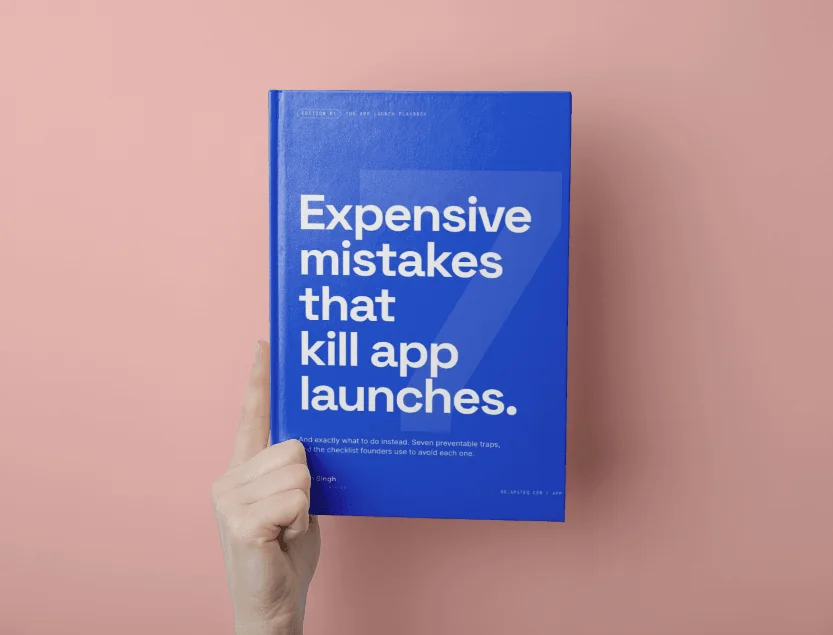
Free download
7 Expensive Mistakes That Kill App Launches
The launch errors we see most often across 300+ app engagements, and what to do instead.
Get the Free EbookBrowse all free guides