
The best subscription app pricing strategy for 2027 is to price on net revenue after store fees, anchor users to an annual plan, test one variable at a time, and judge every change by lifetime value instead of by the price tag. A $9.99 monthly plan sells for the same amount to every user, but it leaves you $6.99 in year one if Apple takes its standard 30% cut, and $8.49 once that subscriber passes twelve paid months and the rate falls to 15% (Apple Developer documentation, 2026). Many teams set prices from competitor screenshots and never run that arithmetic. This guide covers which model to pick, how to test a price without guessing, what the fee math does to your plans, and where US pricing rules are heading. If you want a team to build and run this for you, see our app marketing services.
Key takeaways
- Apple's commission is 30% in a subscriber's first year and 15% after one year of paid service (Apple Developer documentation, 2026); Google Play charges 15% on subscriptions (Google Play Console Help, 2026).
- Developers earning up to $1 million in proceeds a year can join Apple's Small Business Program and pay 15% from day one (Apple Developer, 2026).
- Raising an annual price by 33% only loses money if conversion drops by more than 25%; that is the break-even rule behind every price test below.
- Pricing only works on users who stay: 60% of EarningsCall's campaign downloads were monthly active (ApsteQ case study, 2023).
What is the best subscription pricing model for a mobile app in 2027?
A free trial or freemium entry, a monthly plan, and a discounted annual plan shown as the default is the safest starting model for most US consumer apps. It works because it separates two jobs: the monthly plan sets your reference price, and the annual plan captures committed users at a lower effective rate but a much higher cash payment up front.
Subscription app pricing is the set of plan prices, billing periods, trial terms and paywall rules that decide how much revenue each new user is worth. It is a system, not a single number. Apple's own tooling reflects that: you can attach introductory offers such as free trials (from three days up to a year), pay-as-you-go or pay-up-front discounts to any plan (Apple Developer documentation, 2026).
Here are the models that show up most often, and when each one fits:
- Hard paywall with trial: the user sees the price before using the product. Works when the value is obvious in the first session (fitness plans, language lessons, scanner tools).
- Freemium with a soft paywall: the core feature is free, premium features sit behind a subscription. Works when a free user brings network value, such as a social or community product.
- Tiered plans: two or three levels split by feature depth or usage. Works for apps serving both casual and power users.
- Usage-linked pricing: credits or quotas for AI features where each request costs you real compute money. This one needs margin math before launch.
Pricing follows engagement, not the other way round. EarningsCall, a US fintech app for investors, saw 60% of downloads from its 2022 to 2023 campaign stay monthly active, which meant 3K+ monthly active users on 5K+ downloads (ApsteQ case study, 2023). An app with that kind of repeat use can defend a higher price. An app where most installs go quiet in week one cannot, whatever the paywall says.
Insight: choose the model by asking how many sessions a typical user needs before they feel the value. If the answer is one, use a hard paywall. If it is five, use a trial long enough to cover five sessions.
How do you set and test a subscription price step by step?
Start from net revenue and a target LTV, set three price points, then test one variable at a time on new users only. Skipping that order is why many pricing tests produce noise instead of answers.
Subscription app LTV is the total net revenue an average new subscriber produces before they cancel, after store fees. Use the subscription app LTV calculator to plug in your own plan prices, fee rate and churn.
- Calculate net price per plan. Subtract the store fee (15% or 30% in year one, depending on your program). Work from that number everywhere else.
- Set your ceiling from CAC. If a paying user costs you $40 to acquire through paid channels, the plan must return well over $40 net inside your payback window. Our user acquisition work starts from this ceiling for exactly that reason.
- Pick a test variable. Price, trial length, plan order or paywall copy. Pick one.
- Split new users randomly. Existing subscribers should keep their price; changing it mid-subscription creates consent steps on both stores.
- Run to a pre-set sample. Decide the number of trial starts before you begin. Stopping when a result looks good is the most common way teams fool themselves.
- Judge on revenue per trial start, not on conversion rate alone. A cheaper plan often converts better and earns less.
The break-even rule makes step 6 easy. If the new price is P times the old one, you stay even as long as conversion keeps at least 1/P of its old level:
- Raise price 20%: conversion can fall up to 16.7% before revenue per trial drops.
- Raise price 33%: conversion can fall up to 25%.
- Raise price 50%: conversion can fall up to 33.3%.
For illustration: imagine an app with 10,000 trial starts a month. At a $60 annual price and 40% trial-to-paid conversion, it sells 4,000 plans for $240,000 gross. At $80 and 35% conversion, it sells 3,500 plans for $280,000 gross. Conversion fell by 12.5%, well inside the 25% allowance, so the higher price wins by $40,000 gross (about $34,000 net at a 15% fee). Those numbers are round and invented to show the method, not a result from any real app.
The free app monetization ebook covers paywall layouts and offer design in more depth, and our wider app marketing team can run these tests for you.
Store fees change what each plan is worth, so model net revenue first
Store commission is the largest single cost between your list price and your bank account, and it varies by plan age and developer program. A weekly, monthly or annual plan with the same list price per month can leave very different amounts after fees and cancellation timing.
The three fee rules every US subscription app should know:
- Apple standard: 30% in a subscriber's first year, dropping to 15% after one year of accumulated paid service (Apple Developer documentation, 2026).
- Apple Small Business Program: 15% from the start if your proceeds were up to $1 million in the previous calendar year (Apple Developer, 2026).
- Google Play: 15% on subscription products (Google Play Console Help, 2026).
Here is what that does to common price points. The figures are our arithmetic on the published rates, rounded to the cent, before any sales tax handling.
| Plan | List price ($) | Net at 30% fee ($) | Net at 15% fee ($) |
|---|---|---|---|
| Weekly | 4.99 | 3.49 | 4.24 |
| Monthly | 9.99 | 6.99 | 8.49 |
| Annual (lower tier) | 59.99 | 41.99 | 50.99 |
| Annual (higher tier) | 79.99 | 55.99 | 67.99 |
Two lessons come out of the table. First, a 15% fee on the $59.99 annual plan returns $9.00 more per subscriber than the 30% rate. Across 5,000 annual buyers, that is $45,000. If you are under the $1 million threshold and have not enrolled in Apple's program, that is money left on the table. Second, the annual plan at $59.99 nets $50.99 at the lower fee, while twelve months of the monthly plan would net $101.88 if the user never cancelled. Few do, which is exactly why the annual plan makes sense: it locks in cash that churn would otherwise erode.
Retention decides how much of that monthly figure you actually collect. Enjoy Movies Your Way, a US family streaming filters app, reached 38K+ monthly active users on 50K+ downloads by December 2023, with 76% of downloads active monthly (ApsteQ case study, 2023). A user base that active makes a monthly plan far more valuable than the same plan on an app where 76% of downloads go dark. Run both numbers through the LTV calculator before choosing which plan to feature.
What subscription pricing mistakes cost apps the most?
The costliest mistakes are pricing from gross instead of net revenue, copying a competitor's price without their retention, and cutting prices to fix a problem that sits in onboarding. Each is common, and each is fixable in a single sprint.
Setting prices from list price instead of net
A team that targets "$10 per month" and plans spend against it is really working with $7 in year one on Apple's standard rate. The paid-acquisition budget then looks fine on paper and loses money in practice. Fix it by putting the fee rate in your model before you set a CAC cap.
Copying a competitor's price
A rival's $12.99 monthly price tells you nothing about their trial length, their retention or their fee tier. A large public company can run thin margins that a startup cannot. Use competitor prices only to know what your users are comparing against.
Using one price for every country
App Store Connect lets you set prices by storefront, and Apple's documentation describes that control directly (Apple Developer documentation, 2026). Our ASO work often finds apps with a US price copied across markets where purchasing power differs a lot. If your main market is the US, the opposite also holds: do not let a low emerging-market price anchor your US plan.
Discounting to fix a retention problem
Imagine an app that runs a 50% off sale every month because trial conversion is soft. Users learn to wait for the sale, the average price paid falls, and the real issue (users not reaching the first useful moment) stays untouched. Retention is the better lever: LunarLinc, a friendship app that has passed 50K+ Google Play downloads since November 2023, scaled through creative testing, where 113 video ads drove 41,420 installs against 468 from 83 image ads (ApsteQ case study). The lesson there was to fix what the user sees first, not to cut price.
Hiding the terms
Apple's review guidelines require that subscription apps clearly describe what the user gets, the price and the renewal terms before purchase (Apple App Review Guidelines, 2026). A paywall that buries the trial-to-paid price risks both rejection and a spike in refunds. If you are scoping a build with a paywall from day one, our app development cost guide shows where billing work fits in the budget.
What will change in subscription app pricing in 2027?
Three shifts matter for US teams going into 2027: looser rules on external payment links, more personalized offers, and a sharper focus on net margin. None of them changes the core arithmetic, but each changes which plan you should lead with.
Payment routing is now a pricing lever. After a 2025 US court ruling in the Epic v. Apple case, Apple changed its US guidelines on linking to external purchase options. Because the rules keep moving, check the current App Review Guidelines before you plan a web checkout, and model the economics at both the store rate and the web rate. A lower fee only helps if web conversion stays close to in-app conversion, so treat it as a test, not an assumption.
Offers get more targeted. Both stores support offers aimed at lapsed or existing subscribers, including Apple's offer codes and win-back offers (Apple Developer documentation, 2026). Teams that segment by behavior (users who viewed the paywall twice, users who cancelled in week three) can send each group a different offer instead of a blanket sale. This is where AI automation earns its place: scoring churn risk and triggering the right offer without a manual campaign each time.
Margin discipline. Apps with AI features carry per-request compute costs that older subscription products never had. Price the plan against cost per active user, not against what competitors charge. Keep in mind the activity numbers from above: with 76% of Enjoy Movies Your Way downloads active each month (ApsteQ case study, 2023), a high-usage base is a margin risk as well as an asset when each use costs you money.
Frequently Asked Questions
How much should a subscription app charge per month in the US?
There is no single right number; it depends on your net revenue per user and your payback window. As a worked example, a $9.99 monthly plan nets $6.99 at Apple's 30% year-one rate and $8.49 at 15%. Set your price so that net revenue over the average subscriber lifetime clears your acquisition cost by a safe margin.
Should I offer a free trial or go freemium?
Offer a free trial when the product's value shows up quickly and a user can judge it in a few days; Apple supports trials from three days to one year. Choose freemium when free users add value, such as content or community. Test trial length against revenue per trial start, not against trial starts alone.
How do I know if my price is too low?
Run a price test on new users. If you raise the annual price by 33% and conversion falls by less than 25%, revenue per trial start goes up, so the old price was too low. Watch refund rates and week-four retention too, since a higher price can change who signs up. Our LTV calculator shows the effect on lifetime value.
Does the App Store Small Business Program apply to subscriptions?
Yes. If your proceeds were up to $1 million in the previous calendar year, you can enroll and pay 15% from the first day instead of 30%. On a $59.99 annual plan, that means $50.99 net per subscriber instead of $41.99, a $9.00 difference you keep on every sale.
How often should I change subscription prices?
Change a price when you have data, not on a schedule. Most teams do one structured price test per quarter, on new users only, with a sample size set in advance. Keep current subscribers on their existing price to avoid consent prompts and cancellations, and review results after at least one full billing cycle.
Conclusion
Subscription pricing for 2027 comes down to arithmetic you can do this week, plus tests you can run this quarter. Know your net, anchor users to the annual plan, and let retention data decide when to move a price.
- Model every plan at net revenue: 30% or 15% fee in year one on Apple, 15% on Google Play.
- Check your eligibility for Apple's $1 million Small Business Program threshold.
- Use the break-even rule: a 33% price rise survives a conversion drop of up to 25%.
- Fix engagement before discounting; active users carry higher prices.
- Recheck Apple's guidelines before building web checkout into your 2027 plan.
If you want ApsteQ to build the paywall, run the tests and buy the traffic, book a free strategy call. You can also start with our app marketing resources and the monetization ebook.
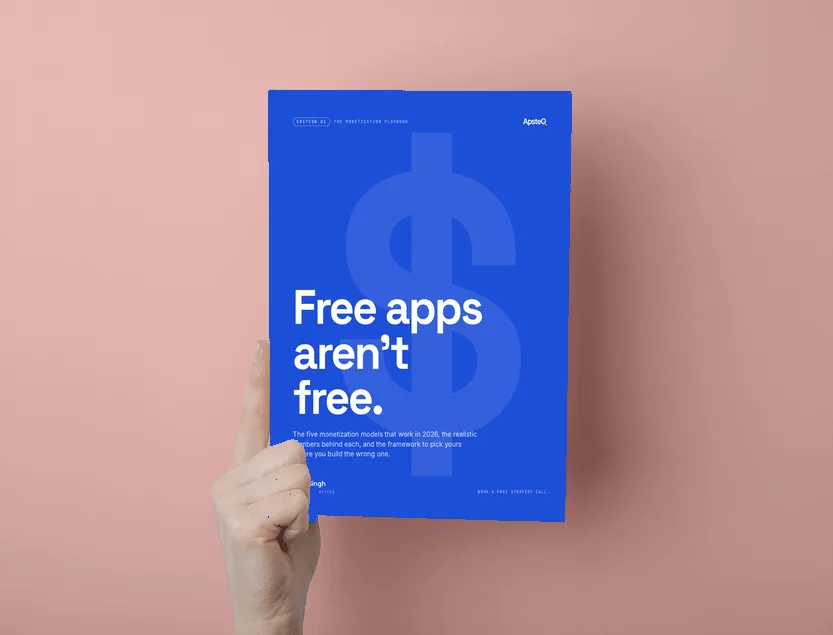
Free download
The App Monetization Playbook
Pricing models, paywall placement, and the revenue math behind apps that actually make money.
Get the Free EbookBrowse all free guides